
Stratos Dashboard Updated: New Design, Faster Interactions, and Application Deployment Enhancements
The Cloud.gov team is excited to announce that the Stratos dashboard has been upgraded to version 5.x. This release delivers a refreshed visual design, faster interactions, compatibility with the next generation of the Cloud Foundry API, and new application deployment workflows directly from your source code repositories.
What's changing
Refreshed look and theming
You'll notice updated branding throughout the dashboard — including the Cloud.gov logo, navigation styling, login page, and color scheme — reflecting the current Cloud.gov visual identity.
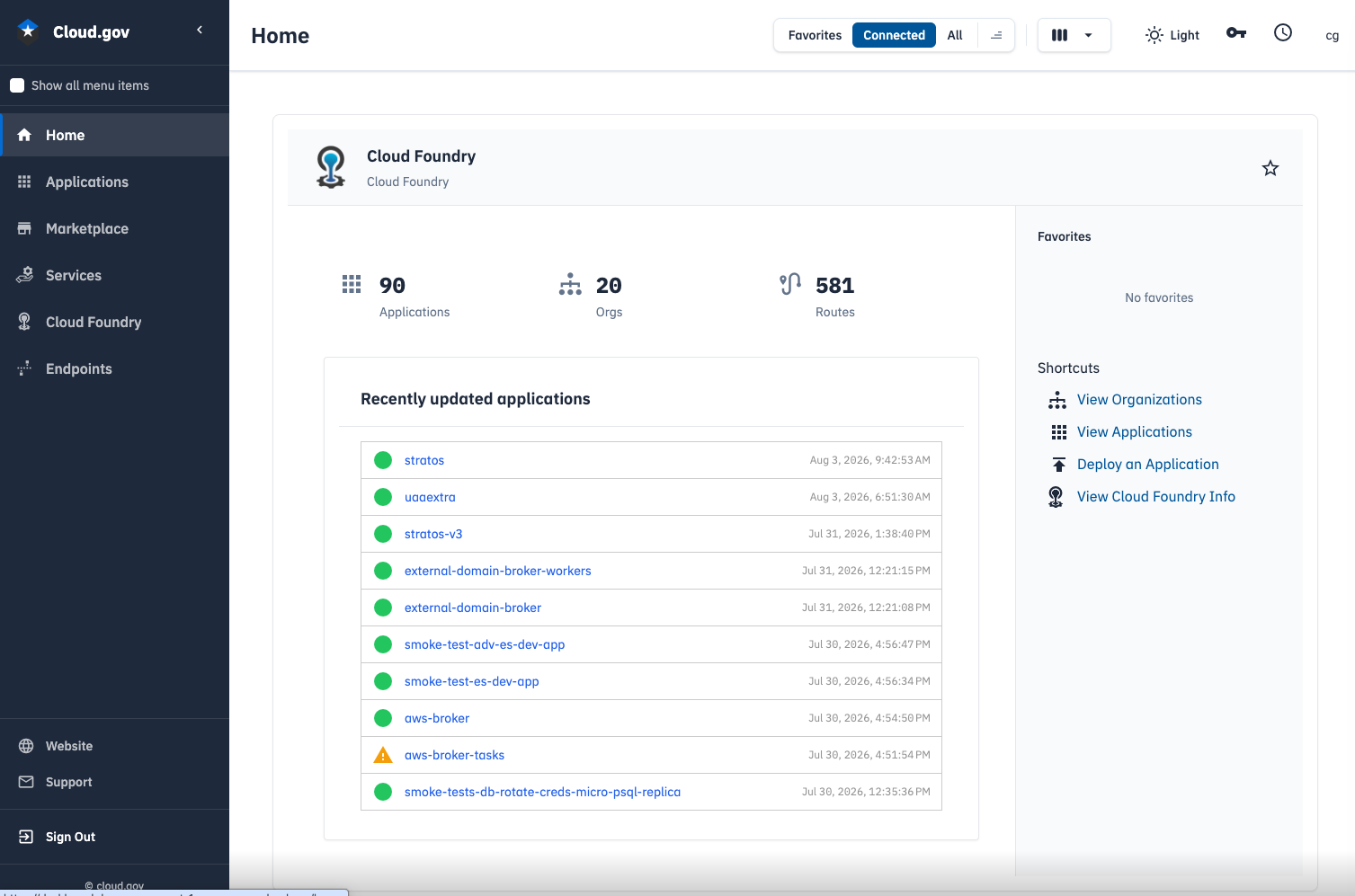
More responsive interactions
Stratos 5.x includes improvements to how the frontend loads and caches data, resulting in noticeably faster page transitions and reduced latency when navigating between applications, spaces, and organizations — particularly in environments with many deployed applications.
Status popups when redeploying or restaging
When you redeploy or restage an application, Stratos now displays real-time status popups showing the staging and startup progress, giving you immediate feedback without needing to navigate to the application's log view separately.
CAPI v3 compatibility
Cloud Foundry's v2 API is being retired in favor of the modern v3 API. The updated Stratos dashboard is fully compatible with CAPI v3-only Cloud Foundry foundations, ensuring you continue to have full visibility and control over your applications, spaces, and organizations as the platform transitions.
Application deployment from private repositories
The Deploy Application wizard now supports deploying directly from private GitHub repositories and Workshop (self-hosted GitLab) repositories using a personal access token (PAT).
To use this feature:
- In the Deploy Application wizard, select GitHub or GitLab as the source type.
- Choose the Private tab and enter your personal access token.
- Select your repository, branch, and commit as usual.
For GitHub, a classic PAT with repo scope is sufficient for private repository access.
For Workshop (self-hosted GitLab at workshop.cloud.gov), create a PAT with read_api and read_repository scopes. You can enter the base URL (https://workshop.cloud.gov) directly — no need to include the /api/v4 path.
Projects in nested subgroups (e.g. group/subgroup/project) are also now supported.
No action required
Existing sessions will remain active. The upgrade is a drop-in replacement — your registered endpoints, connected organizations, and application data are unaffected.
The previous version of the dashboard remains available at dashboard-legacy.fr.cloud.gov for two weeks while the new version stabilizes.
If you experience any issues after the upgrade, please reach out to support@cloud.gov.